
WHAT IS
3D RAD?
CLICK HERE
TO FIND OUT!
Scanner
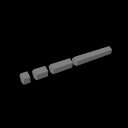
The Scanner object allows you to scan a series of RigidBody objects linked to it, by using a beam of definable length and size.
If the scan intersects one of the target objects, the identifier of the object is exposed as an internal parameter of the Scanner object (see below). Contact point distance, absolute 3d location and surface normal are also returned.
The returned values can be polled run-time by a Script and actions performed based on them.
The scan is performed once, whenever the Scanner object is started by another object (like EventOnInput) or by a Script.
In the Virtual Editor, the Scanner object is displayed as a 3d beam you can orient or attach to any moving object, like a Car object (see ScannerDemo sample project).
The scanner can also be attached to animated character bones, for example a soldier's hand.
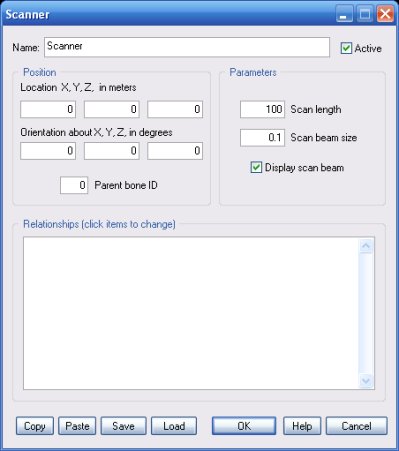
The scanner will only detect objects that are within the specified length (distance from scanner origin, in meters).
Important! Because a certain amount of computation is required for each surface traversed by the scan beam, the longer the scan, the greater the chances of crossing a very high number of surfaces, thus causing frame-rate loss. Scan length should always be the shortest allowed by your project design.
The ability to specify any size for the scan beam section is what makes this object so powerful. Unlike classic single ray scanners, a beam-based scanner allows you, for example, to detect very small objects by using just a few or even one single scan. This is important when you use this object, as basis for an AI system, where, for example, a character needs to scan the surroundings, looking for obstacles and/or targets.
Check this option to visualize the Scanner object geometry run-time. The geometry is automatically stretched to show the actual beam size and length.
This list defines how the Scanner object relates to the objects linked to it. The following relationship types are supported:
The following internal parameters can be accessed by using event objects like EventOnValue or Script:
