WHAT IS
3D RAD?
CLICK HERE
TO FIND OUT!
RaceTracker
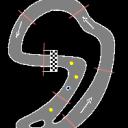
RaceTracker will monitor vehicles racing along a course marked by waypoints, reporting the current standing and lap for one of them (for example the player car).
Race statistics can be accessed and displayed by reading the internal parameters for this object by using, for example, ValuePrint. See 'Internal Parameters' section below for details.
A number of Waypoint objects must be added to your project and placed along the racetrack, before you can use the RaceTracker object to gather statistics.
The order in which the waypoints must be passed is determined by their order in the Object List.
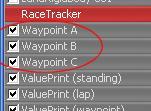
The first waypoint is also the last one (terminating each lap), therefore it should be placed on the finish line.
Because main-vehicle standing is computed by comparing all vehicle distances from their next waypoint, waypoints should frequent and uniformly spaced along the race course, to maximize stats accuracy.
Note that the Waypoint object is actually a box and not a simple plane. The waypoint is considered passed when the center of the 3d model for the monitored vehicle enters the box. In a typical racing game, you would stretch the waypoint boxes to look like thin boards.
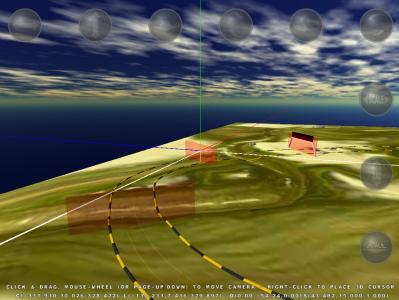
After you have placed the waypoints, RaceTracker usage is straightforward. Just add the RaceTracker to your project and link it to the main vehicle object, to all other vehicles in the race and to all waypoints.
Then, in the RaceTracker's property dialog, set the relationships for all the linked objects.
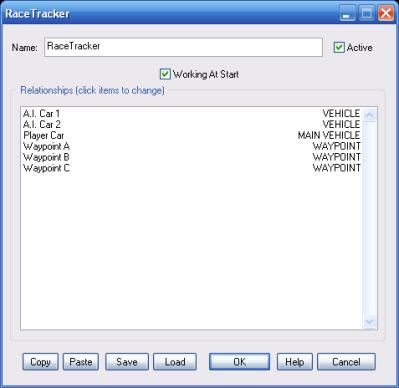
If this option is not checked, waypoints will only be checked after the RaceTracker object is started by another object.
This list defines how the RaceTracker object relates to the objects linked to it. The following relationship types are supported:
For information about the remaining controls, please click here.
The following internal parameters can be accessed by using event objects like ValuePrint or Script:
