
WHAT IS
3D RAD?
CLICK HERE
TO FIND OUT!
Velocity
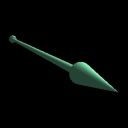
This object allows you to set any object supporting physics (like RigidBody, Car etc) to a certain speed or spin. Direction or rotation axis can be visually set in the Virtual Editor.
This is typically used to set the initial dynamics state for certain objects in a project. For example, the motion of a planet orbiting around a sun, the speed in a game level starting with an airplane in flight and so on.
To set initial speed or spin for an object, simply link it to the Velocity object and set it as the recipient in the Velocity's property dialog (relationships window).
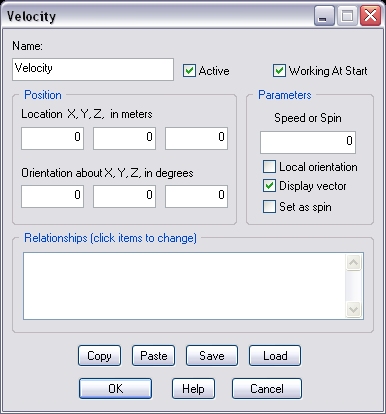
If this option is not checked, the velocity will be set only when the Velocity object is started by another object, like for example EventOnInput.
The speed to set, in meters per second. If the Set as spin option is checked, this is the spin, in degrees per minute, instead.
Important! Setting velocities too high may disrupt the simulation and cause relevant loss of performance (bad frame-rate).
If this option is not checked, the velocity vector will either keep its original global orientation or point towards the target object.
If it is checked, the direction of the velocity (or the axis of rotation) will change when the position of the parent (recipient) object changes. This is only relevant if you activate (start) this object run-time, after the recipient has moved from its initial position.
Check this option to visualize the velocity vector run-time.
If this option is checked, the velocity is angular (a rotation). It will be a spin about an axis passing through the recipient object's center of mass.
If no TARGET objects is specified, the rotation axis is defined by the Velocity object's orientation (the green arrow in the Virtual Editor). The axis is static if Local orientation is unchecked. It rotates with the recipient otherwise.
If a TARGET object is specified, the rotation axis will point towards the target object.
This list defines how the Velocity object relates to the objects linked to it. The following relationship types are supported:
Note that target objects are ignored if the Local orientation option is checked.
The following internal parameters can be accessed by using event objects like EventOnValue or Script:
