
WHAT IS
3D RAD?
CLICK HERE
TO FIND OUT!
Spring

The Spring object allows you to link two objects together by using an 'elastic' force.
Relative positions for the objects to link and the spring, as you set them in the Virtual Editor, will determine the configuration that the system will try to keep run-time.
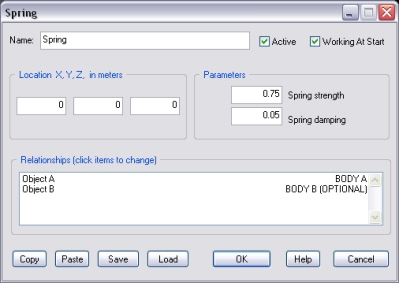
If this option is not checked, the elastic force will be enabled only when the Spring object is started by another object, like for example EventOnInput.
In this case, while the application point for the 'body A' is the relative location you defined in the Virtual Editor, for the second object (body B), the application point will depend on object's location at the time of Spring activation.
Spring strength and spring damping factors allow you to set the 'bounciness' and the 'stiffness' of the spring respectively.
Recommended values for damping are between 0 and 1.
This list defines how the Spring object relates to the objects linked to it. The following relationship types are supported:
NOTE: Specifying more than one single object as body A or more than one single object as body B is not recommended. Resulting behavior is undefined.
The following internal parameters can be accessed by using event objects like EventOnValue or Script:
