WHAT IS
3D RAD?
CLICK HERE
TO FIND OUT!
Rock
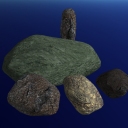
A set of ready-to-use 3d rocks. They come with modeled shadow casters and collision detection geometry.
Rock's base tint can be adjusted to adapt to the scene. Tint can also be automatically randomized between a specific 'color range' to boost realism when using multiple instances of the same rock.
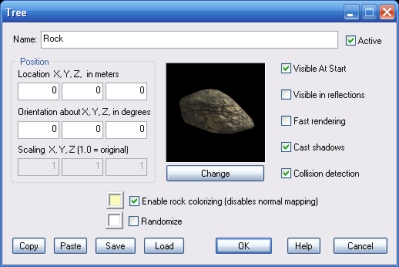
Click the Change button to set the rock type.
If this option is checked, a faster rendering technique is used. This will improve frame rate on slower systems, but it may reduce rendering quality.
If this option is checked, the rock will cast a volumetric shadow. This may affect frame rate on slower systems.
If this option is checked, the rock will detect collision detection with all objects linked to it.
If this option is checked, you can set the rock base color by clicking the color button.
Note that this option will disable normal (per-pixel-detail) mapping for the rock.
If randomization is enabled for the color setting, the actual rock tint is randomly set between the two specified colors.
For information about the remaining controls, please click here.
