WHAT IS
3D RAD?
CLICK HERE
TO FIND OUT!
Ball
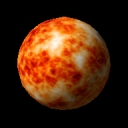
Ball is a set of ready-to-use spherical objects that support collision detection and configurable dynamics parameters.
The existing library of spherical objects includes all planets in the Solar System, plus some moons.
The library can be expanded by adding your own .x files and textures to the data folders for this object.
After adding the Ball object to your project, you can configure it by double-clicking it in the Object List.
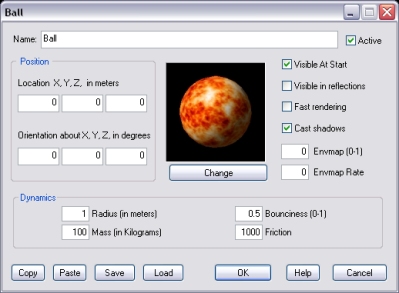
Click the Change button to set the ball aspect.
If this option is checked, a faster rendering technique is used. This will improve frame rate on slower systems, but it may reduce rendering quality.
Note that on old systems that do not support hardware processed pixel shaders, this modality is automatically used.
If this option is checked, the ball will cast a volumetric shadow. This may affect frame rate on slower systems.
Set this parameter to any positive value (max. 1.0) to set glossiness for the ball.
If the above parameter is bigger than 0, you can set this parameter to any positive value (below 450.0) and make the ball surface dynamically reflect the environment.
NOTE: an object is reflected only if the Visible in reflections option is available and checked on its property dialog.
These parameters are self-explanatory.
For information about the remaining controls, please click here.
The following 3d models are based on real astronomic images (courtesy NASA/JPL-Caltech): Earth, Europa, Ganymede, Io, Jupiter, Mars, Mercury, Neptune, Pluto, Saturn, Uranus, Venus. The Moon 3d model is based on actual images taken during Clementine mission (courtesy USGS Astrogeology Research Program).
