WHAT IS
3D RAD?
CLICK HERE
TO FIND OUT!
Terrain
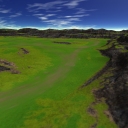
Terrain is a set of ready-made maps you can immediately use as basis for your projects.
All parts of the terrain model support collision detection and can interact with other 3D Rad objects like vehicles, characters and so on.
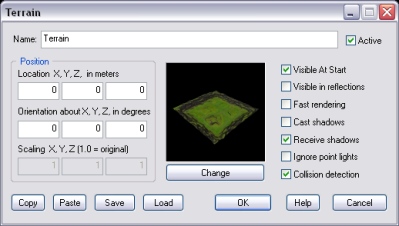
Click the Change button to choose a map among the various that are available.
If this option is checked, a faster rendering technique is used. This will improve frame rate on slower systems, but it may reduce rendering quality.
Note that on old systems that do not support hardware processed pixel shaders, this modality is automatically used.
If this option is checked, the terrain will cast a volumetric shadow. This may severely affect frame rate on slower systems.
If this option is checked, the terrain will receive volumetric shadow from other objects (and itself if Cast shadows above must be checked).
By default, if point lights are close enough to affect the Terrain object, the surface is affected by them.
However, because rendering surfaces that are illuminated by multiple lights require much more processing power, this option allows you to disable this feature to optimize frame-rate.
Note that, for each Terrain object, there is a maximum limit of point lights that can affect its surface at any given time. Please see the PointLight object's help file for details.
IMPORTANT: point lights with a small range may fail to illuminate terrain surfaces properly, where they are made of big polygons.
If this option is checked, the terrain will detect collision detection with all rigid-body based objects linked to it.
The following internal parameters can be accessed run-time by using the Script object:
